Install the Okta ADFS Plugin on your ADFS Server
After downloading the installer, complete the following steps to install the ADFS plugin on your ADFS server.
- Go to the directory where the agent installer was downloaded.
- Unzip the archive, and run
setup.exeas administrator. - Click Next to start the installation.
- Log back into your Okta org, and go to the Microsoft ADFS (MFA) application created in Install and configure Microsoft ADFS in Okta.
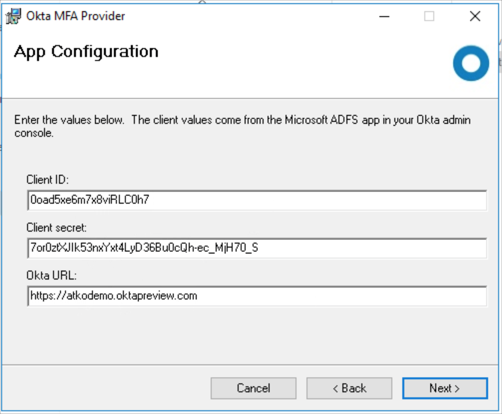
- The Okta ADFS Adapter install prompts you for values for ClientId, ClientSecret, and Okta URL For example:
- ClientId: 90aSt67bHgyW9bv
- ClientSecret: 80hglw7bw46hNoTpbnAyqzihouyzia
-
OktaURL:
https://atkodemoorg.oktapreview.com
-
Optionally, register the adapter by checking the Register Okta ADFS adapter checkbox.
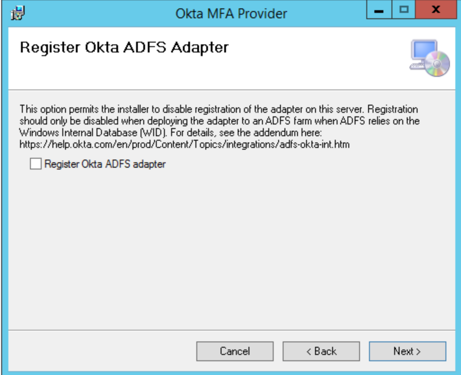
If you're installing in a federation server Farm, don't check Register Okta ADFS Adapter. Refer to the manual registration procedure detailed in the Farm Installation Addendum.
-
Specify the drive and folder where you want to install the Okta MFA adapter.
Default:
c:\Program Files\Okta MFA Provider\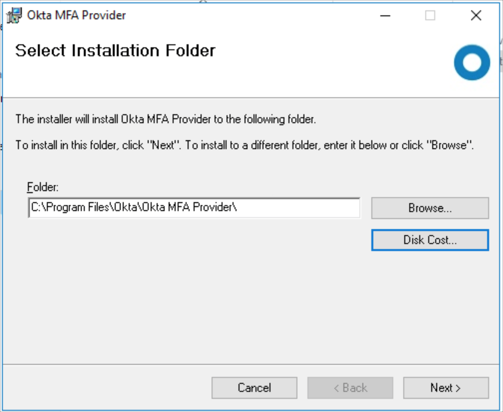
- The install completes, click Close.
- If you're installing in a federation server Farm, don't check Register Okta ADFS Adapter. Refer to the manual registration procedure detailed in the Farm Installation Addendum.
- ADFS 2019 only
If you're installing in ADFS 2019, execute the following in a PowerShell window.
- Open a PowerShell as administrator.
- Modify the script for your Okta domain and execute:
# Please change the value of <customer_subdomain>
$oktaUrl = "https://<customer_subdomain>.okta.com"
$oktaCdnUrl = "https://*.oktacdn.com"

$CSP = ((Get-AdfsResponseHeaders | Select -ExpandProperty ResponseHeaders).'Content-Security-Policy')
if (-not ([string]::IsNullOrEmpty($CSP)))
{
	$CSP += "; "
}
$CSP += 'default-src ' + $oktaUrl + ' ' + $oktaCdnUrl + '; frame-src ' + $oktaUrl + ' ' + $oktaCdnUrl + '; img-src ' + $oktaUrl + ' ' + $oktaCdnUrl
Set-AdfsResponseHeaders -SetHeaderName Content-Security-Policy -SetHeaderValue $CSP
Set-AdfsResponseHeaders -EnableCORS $true
Set-AdfsResponseHeaders -CORSTrustedOrigins $($oktaUrl)