See Okta Verify account details on Android devices
On the Account details page, you can check what Okta Verify security methods you can authenticate with.
Open Okta Verify and tap your account. On the Account details page, the enabled security methods have a check mark.
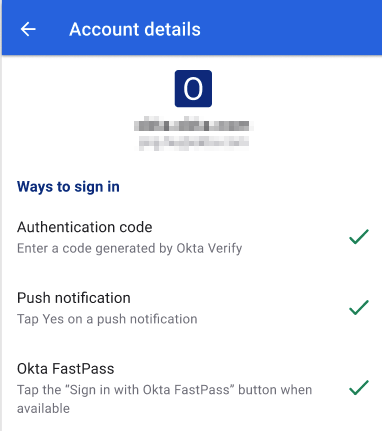
In this example, you can sign in with Okta Verify in three ways:
- Authentication Code: When you select or Enter a code on the sign-in page, Okta Verify prompts you for a one-time passcode.
- Push Notification: When you select or Get a push notification on the sign-in page, Okta Verify sends you a push notification.
-
Okta FastPass
: When you select Use Okta FastPass
or Sign in with Okta FastPass
on the sign-in page, Okta Verify allows you to authenticate using the Sign in with Okta FastPass button.
Note:
Note for administrators: This feature is only available on Okta Identity Engine.
Related topics