Skip to main contentSkip to docs navigation
Docs
  • English (United States)
  • 日本語 (日本)
  • Français (France)
    • Identity Engine
    • Classic Engine
    • Access Gateway
    • Advanced Server Access
    • Aerial
    • Identity Security Posture Management
    • Workflows
    • Identity Engine
    • Classic Engine
    • Access Gateway
    • Advanced Server Access
    • Aerial
    • Identity Security Posture Management
    • Workflows
  • Okta Developer
    • Auth0 Docs
    • Auth0 FGA Docs
  • Training
  • Support
    • English (United States)
    • 日本語 (日本)
    • Français (France)

Feedback

OAG publication
  1. Manage Access Gateway deployment
  2. Post-deployment tasks
  3. Add an Access Gateway Admin UI console app
  4. Test the Admin app integration

Test the Admin app integration

  1. Sign in to your Okta tenant as a user in the Administer Access Gateway group created in add groups step.
  2. From the applications dashboard, find the newly added Access Gateway Admin UI console app and select it.
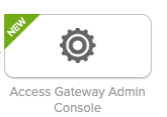
    In the applications list, click the name of the newly added Access Gateway admin app.

    The Access Gateway Admin UI console should open as the same user.

© Okta, Inc. All Rights Reserved. Various trademarks held by their respective owners.

Top