Troubleshoot the Windows RADIUS agent
The RADIUS agent isn't receiving traffic or authentication is failing
The RADIUS agent must be able to listen on the UDP ports that are being used by the RADIUS apps you have configured. Firewalls can impede that communication if the necessary ports aren't open.
If you're unable to authenticate over the RADIUS app, verify that all firewalls, including any operating system (OS) firewalls, aren't filtering this traffic.
The default RADIUS port is UDP 1812. Other ports can be used if required.
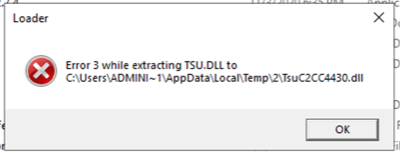
Attempts to reinstall the RADIUS agent are failing with extracting error
While installing the Windows RADIUS agent version 2.28 or earlier, the error Error 3 while extracting... is displayed.
After uninstalling the RADIUS agent for Windows, you must reboot the machine hosting the agent.
Reboot the machine and restart the install process.