Add Access Gateway to Windows DNS
Windows is the DNS provider for Access Gateway. You can use Windows DNS Manager to perform common administrative tasks.
Add a Windows DNS entry for an Access Gateway instance
- Sign in to your Windows server.
- Start the DNS Manager application.
- Select your domain (for example,
idaasgateway.net).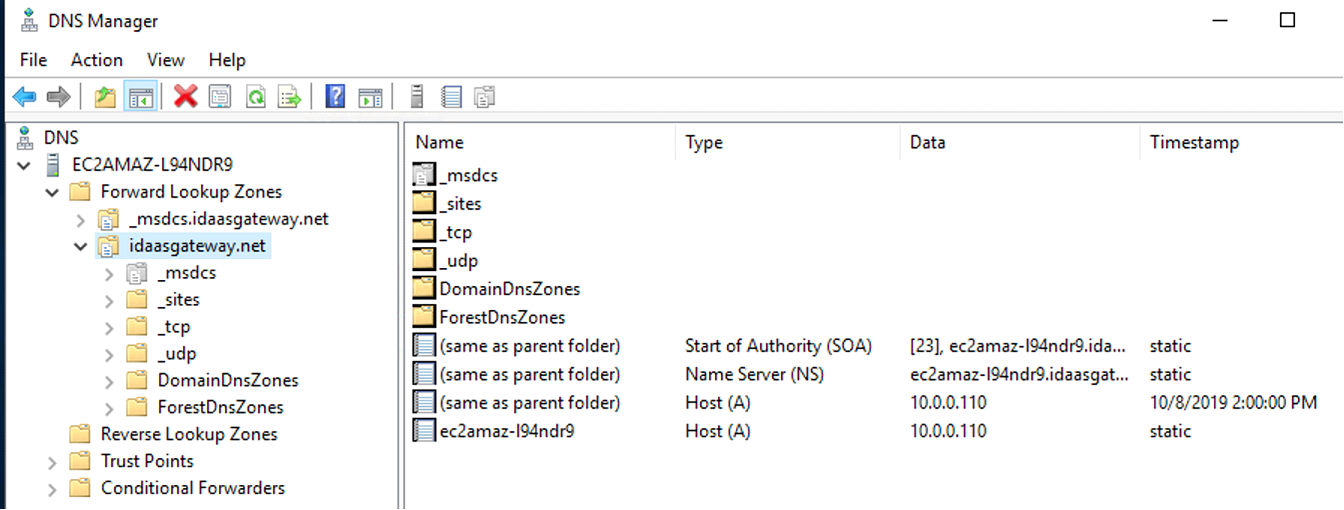
- Click .
- Enter appropriate values for the name (FQDN or fully qualified domain name) and IP address. Follow these examples:
-
Name:
gw-iis -
FQDN:
gw-iis.access-gateway.tld -
IP Address:
IP Address of Access Gateway instance.
-
Name:
- Click Add Host.
- Exit Windows DNS manager.