Deploy Okta People Picker for SharePoint agent
Install and deploy the Okta People Picker for SharePoint agent to your SharePoint farm environment. The following default installation steps activate the feature at the farm level.
Before you begin
-
Complete Configure Okta as Claims Provider in SharePoint (On-Premises) .
-
If you're upgrading the Okta People Picker, completely remove the previous version of the Okta People Picker. See Uninstall People Picker and Okta Authentication.
Start this procedure
This procedure includes the following tasks:
1. Install Okta People Picker for SharePoint agent
2. Assign Okta Claims Provider as Trusted Identity Token Issuer
3. Validate the installation and configuration
-
In the Okta Admin Console, go to and download the Okta People Picker for SharePoint Server 2013 or 2016.
-
Enter the following PowerShell commands to add and install the Okta SharePoint solution for People Picker:
Add-SPSolution -LiteralPath "C:\OktaClaimsProviderxx.xxx.wsp"
Install-SPSolution -Identity "oktaclaimsproviderxx.xxx.wsp" –GACDeployment
Replace the
LiteralPathcommand-line argument with the path to the downloaded People Picker WSP solution file, and update the Identity command-line argument with the appropriate version-based file name.Note:- It might take a few minutes for the agent to be installed and deployed.
- You can query your deployment status by entering the following PowerShell command:
Get-SPSolution. - The status output reads
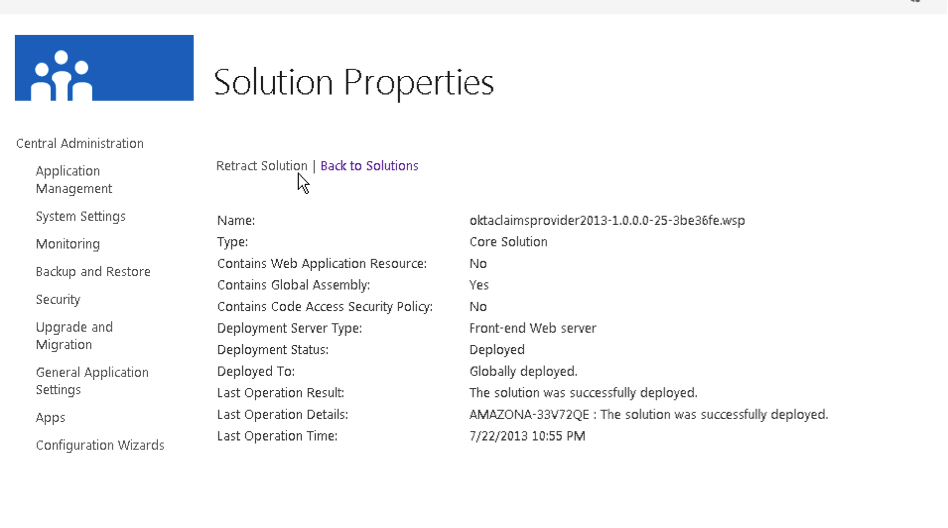
Deployedafter the solution has been deployed to the farm. - If the status output continues to read
Not deployed, sign into the SharePoint Central Administration console, select , and check for error messages. - If necessary, cancel the deployment and restart it using the SharePoint Central Administration Management Console.
-
Deploy the agent using the SharePoint Central Administration Management Console. Confirm the installation and troubleshoot any issues.
Note:Okta recommends that you use a ULS viewer during the People Picker installation procedure to help you diagnose configuration issues.
Assign the Okta Claims Provider that was configured during the Okta SSO configuration as the SPTrustedIdentityTokenIssuer for People Picker.
If the SPTrustedIdentityTokenIssuer was named something other than Okta during the SSO configuration, update the following commands with the correct values:
$trust = Get-SPTrustedIdentityTokenIssuer "Okta"
$trust.ClaimProviderName = "OktaClaimsProvider"
$trust.Update()
-
Enter the following PowerShell command to retrieve the
OktaClaimsProvidervalue:Get-SPClaimProvider -
Make sure that the Okta provider is
Enabledand configured asDefault.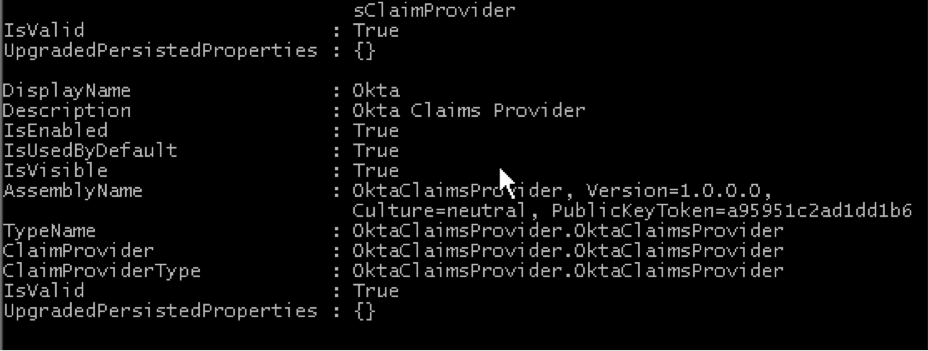
Troubleshoot the People Picker
Look for OktaClaimsProvider in the SharePoint ULS logs to monitor the activity of the claims provider. A ULS log viewer is recommended.