Add a Qlik app
Add and configure a Qlik app using the Access Gateway Admin UI console.
Architecture
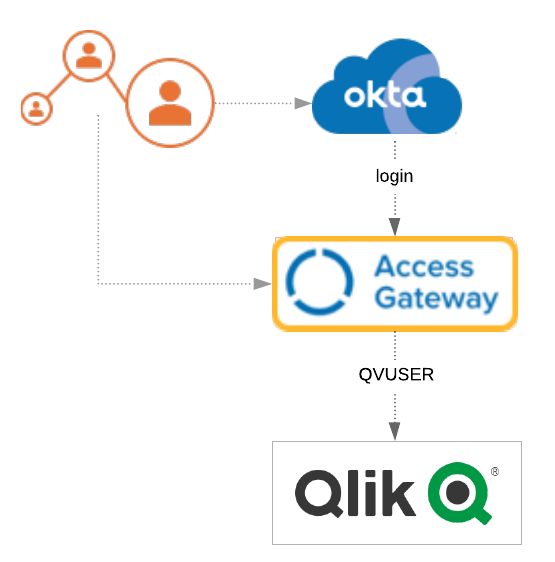
Before you begin
- Verify that Access Gateway is installed and configured. See Manage Access Gateway deployment.
- Verify that Access Gateway uses your Okta org as an identity provider (IdP). See Configure an Identity Provider in Access Gateway.
- Verify that you have administrator rights on your Okta org and can create groups and assign apps.
Note:
This app uses header variables to exchange user information. You can use the Access Gateway sample header app. See Add a generic header app and Add a sample header app.
Typical workflow
|
Task |
Description |
|---|---|
| Add an Okta org group | Create an Okta group to which to assign Qlik app users. |
| Create the Qlik app | Create the Qlik app using the Access Gateway Admin UI console. |
| Assign a certificate to a Qlik app | Optional. Assign a certificate to the app. |
| Confirm Qlik app attributes | Verify the app attributes. |
| Test the Qlik integration | Test the Qlik app. |
| Troubleshoot apps | How to troubleshoot the integration. |