Okta Verify for iOS FAQ
Learn more about Okta Verify capabilities.
What is Okta Verify?
Okta Verify is a mobile app that you can use to authenticate when you access your apps protected by Okta.
What can I do with the Okta Verify app?
This is what you can do with the Okta Verify app:
- Add an account to register your device with your organization's Okta solution.
- Add accounts that require Okta Verify for authentication.
- Confirm your identity to prove that you're the one who tries to access the resources protected by Okta.
- Manage the enrolled accounts.
- Review the terms and conditions, privacy policy, and third-party software notices.
This is what you can't do from the Okta Verify app:
- Only if your organization supports Okta FastPass, you can open the apps dashboard directly from Okta Verify. See Open the Okta End-User Dashboard from Okta Verify on iOS devices. If you can't access the apps dashboard directly from Okta Verify, use a mobile browser.
- Okta Verify doesn't load apps. To open your app account, access your organization's app link or open the apps dashboard. Then, select a sign-in method such as a code or a push notification.
Where do I download the Okta Verify app?
Okta Verify is available in the Apple App Store.
Can I import my existing Okta Verify account on a new device?
Yes. See Import your existing Okta Verify account to an iOS device using Bluetooth or Add your Okta Verify account to an iOS device from the apps dashboard Settings page.
I got a new device, don't have my previous one, and I don't have an Okta Verify account on another device. I also don't have any other Okta security methods set up. Can I reinstall Okta Verify and set it up myself without contacting my IT administrator?
No. If none of the following conditions apply, contact your company's help desk.
-
You have your previous device with Okta Verify installed on it.
-
You have an active Okta Verify account on another device.
-
You have an additional Okta security method set up.
I deleted Okta Verify from my device. Can I reinstall it and set up Okta Verify myself without contacting my IT administrator?
If you have Okta Verify installed on a different device, or other Okta security methods set up, such as a phone (using SMS or a voice call), a security key, or a biometric authenticator, you can recover your account. See Import your existing Okta Verify account to an iOS device using Bluetooth or Add your Okta Verify account to an iOS device from the apps dashboard Settings page.
What is a QR code and why do I need to use it for Okta Verify?
A QR code is a universal barcode that your device's camera can scan and read. Okta uses QR codes to enroll your device with your Okta account. Usually, you only do this once, but if you have to reset your account, you scan a new QR code to enroll again successfully. For how to scan the QR code, see Set up Okta Verify with a QR code on your iOS device.
What is the secret key? Do I need it to sign in to my account?
When you enroll your device with Okta Verify for the first time, you have different options, depending on your company's configuration. If you can't set up your account with a QR code, Okta generates a secret key that you can enter in Okta Verify to set up your account. The secret key isn't the Okta Verify 6-digit code that you enter in the sign-in window when you access your Okta-protected apps. To learn more about using the secret key, see Set up Okta Verify on your iOS device by using an activation link or secret key.
When I open Okta Verify, I see a six-digit code. What is it for?
When you access apps protected by Okta, Okta Verify generates a code that you can enter in the sign-in window to confirm your identity. You need this code only if you select the Okta Verify code option in the authentication window.
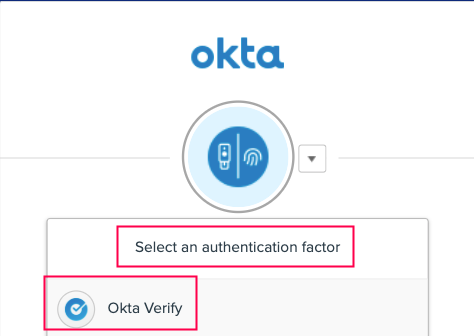
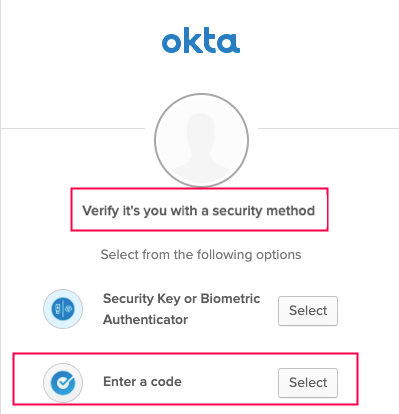
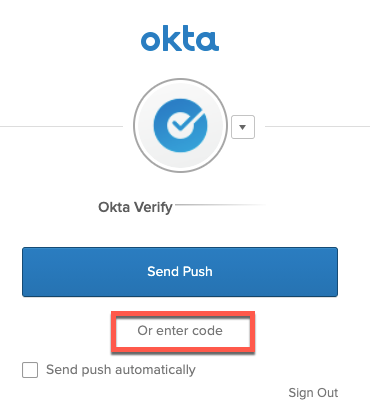
You don't have to use the code to sign in with Okta Verify. You can also authenticate with Okta Verify push notifications if your organization configured this option.
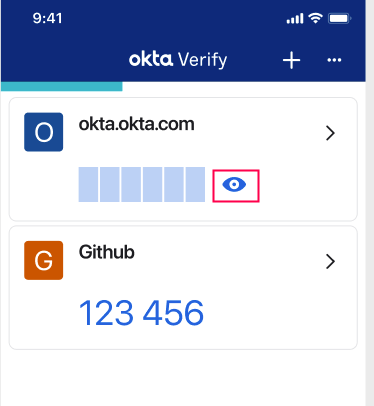
The six-digit code is renewed every 30 seconds. After you close Okta Verify, the code is no longer generated.
This Okta Verify capability doesn't impact the performance of your phone.
What is the blue loading bar above the code in Okta Verify?
This isn't a loading bar. It's a progress bar. The six-digit code is renewed every 30 seconds. The progress bar indicates how much time is left until a new code is generated.
Related topics